

I have been waiting for this one, and I am not going to pretend I am calm about it. OpenAI opened business profiles inside ChatGPT on November 10, and this is the first genuinely useful thing I have seen come out of the AI shift for ordinary business owners. Not because it is magic. Because for the first time, owners finally have a place to put their own details in front of the people asking AI for a recommendation, instead of hoping something scraped from somewhere else happens to be accurate.
If a buyer asks ChatGPT to find a real estate agent, compare homes, or learn about a property service, what will it say about your business? OpenAI’s new Business Hub gives eligible businesses a way to claim a listing, manage some of its information, and view selected engagement insights.
The feature is in beta, and it is not a shortcut to the top of AI answers. Still, for real estate professionals and other small business owners, it’s worth understanding how it works and checking whether your business can claim a profile. That is exactly why I want to walk you through it while it is still new.
Why Business Hub matters to real estate professionals
People increasingly ask AI assistants for suggestions before they start clicking through search results. That makes the answer layer another place where potential clients may encounter a business. A claimed profile gives eligible owners a way to provide and maintain business details within ChatGPT, rather than relying only on information gathered from other sources.
OpenAI announced Businesses in ChatGPT on November 10, 2026. Through Business Hub, eligible businesses can claim their listing, provide business information, and see aggregated insights into how people engage with them. OpenAI says the feature is in beta, and availability varies by business type and location. Read OpenAI’s announcement and its Business Hub setup instructions for the latest details.
For an agent in Wyoming, Colorado, South Dakota, or Nebraska, the practical opportunity is straightforward: make sure your public business information is accurate, consistent, and supported by useful pages on your website. That is a sensible foundation for real estate agent AI visibility, but it does not guarantee that ChatGPT will mention or recommend you. OpenAI states plainly that claiming a profile or disputing ownership doesn’t change its visibility in ChatGPT, and that its independent answers remain independent of advertising.
I want to be honest about that part because it is the part people skip past. There is no switch here that puts you at the top of an answer. What there is, and what genuinely excites me, is a way to stop guessing what ChatGPT believes about your business and start telling it the truth yourself.
How to claim your business in ChatGPT
You must own the business or be authorized to represent it. OpenAI says you do not need an advertising account or a ChatGPT Enterprise agreement to claim an eligible business. But not every business type or location is currently supported, so confirm what is available in the app rather than assuming your profile is eligible.
The basic process is:
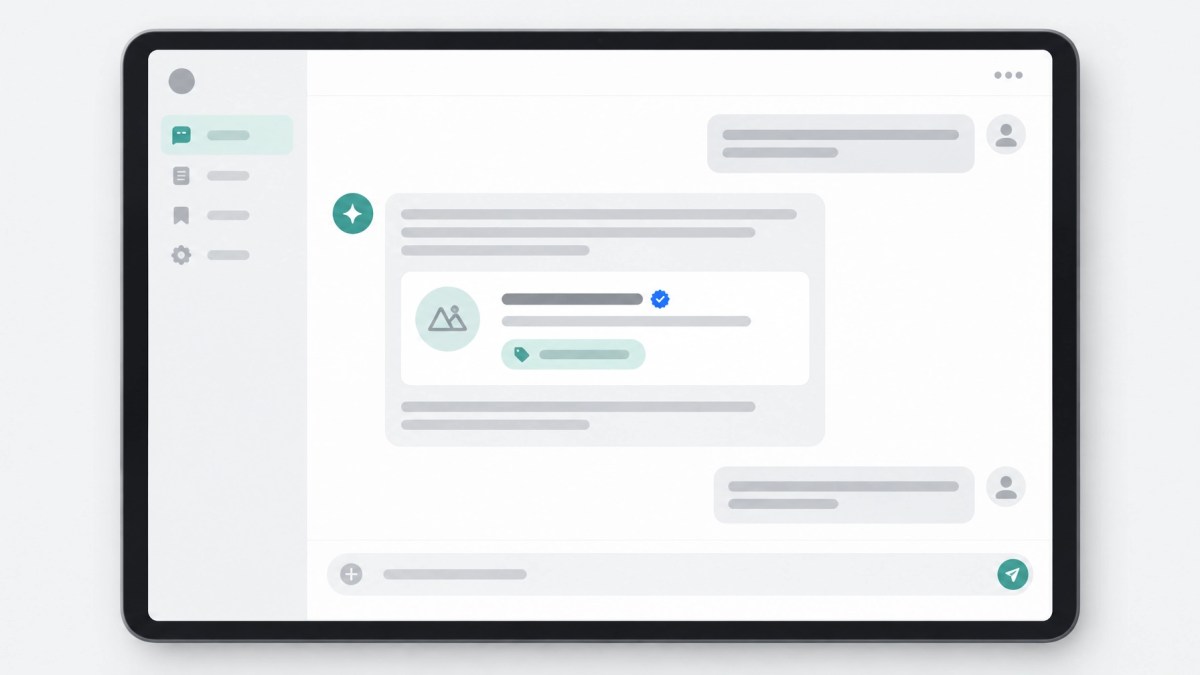
- Sign in to ChatGPT and open Business Hub from the sidebar.
- Search for your business by name and select the matching listing.
- Confirm which ChatGPT account you’ll use to manage it.
- Choose one of the verification methods offered for your business and follow the instructions.
Depending on what appears in your account, verification may use a business phone number by text or automated call, a code sent to a business email, a TXT record added to your website domain’s DNS settings, or a connected Shopify store. DNS changes can take time to show up, so don’t be surprised if domain verification isn’t immediate. If someone else manages your domain, ask them to add the record for you rather than requesting access to their account.
After you submit the claim, OpenAI reviews it and emails you a decision or request for more information. If you received a claim invitation by email, use its personal link and sign in with the address that received it. Don’t forward that link to give someone else access.
There are two distinct approval steps to keep in mind. First, OpenAI reviews your claim. Then, after the claim is approved, you’ll need to complete identity verification through Persona before you can publish profile changes or view insights. Persona may ask for government-issued ID, business registration information, and proof that you’re authorized to represent the business. The blue verified check appears only after Persona verification is approved.

One caution before you begin. If you create a new profile through Persona rather than claiming an existing listing, OpenAI’s approval publishes that profile automatically. There is no separate publishing step. If you submitted a claim and want to stop the process while it’s under review, you can select Cancel claim. Once a profile is published, though, OpenAI Support cannot delete, unpublish, or hide it as part of a business setup or ownership request. Only unpublished drafts can be deleted. Get the details right, and be ready to be visible, before you start.
If the business is already claimed, use Dispute ownership in the profile and follow the prompts to verify your authorization with Persona. If you manage a team, Business Hub admins can add teammates and grant agency access. Each person should use their own ChatGPT account.
What to put in your profile and on your website
Once the claim and Persona checks are approved, Business Hub lets you update supported details such as your website, business description, product or service category, logo, and cover photo. OpenAI reviews submitted changes, and they may take time to appear. ChatGPT may also draw on other sources when answering questions about your business.
Use clear, specific language. Explain the services you provide, the communities you serve, and what a client can expect. Then make sure your website supports those statements. A profile link is only useful if the destination gives visitors and search systems concrete information to work with.
For real estate professionals, that means keeping service pages current and making listing examples easy to understand. A page about professional real estate photography can explain what a shoot includes. A page about aerial photography can show how aerial views reveal a property’s scale and setting.
Good property media also gives buyers more ways to assess a home before booking a showing. Professional real estate photography helps present rooms clearly. Real estate drone photography can put acreage, access, and nearby landscape in context. 360 virtual tours let people explore a space remotely, while floor plans help them understand layout and flow. Short-form vertical video can offer another quick view of a listing. Together, those details make a service page or listing more useful to real people, not just easier to describe.
This is the useful way to think about answer engine optimization for real estate: don’t write for a mystery algorithm. Make your business information clear, consistent, and supported by helpful pages and accurate listing materials. No single profile or keyword can promise how an AI system will respond.
How to read the insights without overinterpreting them

After your claim and Persona verification are approved, Business Hub’s Insights area shows aggregate activity over the previous 28 days. This includes mentions, website clicks, and discovery topics, which describe common themes in answers that mentioned or cited your business.
The meaning of a “mention” differs by business type. For an online business, it counts when ChatGPT references the business’s website. A brand name on its own doesn’t count. For a local business, it can count when ChatGPT displays a result for that location, even if the person doesn’t open the listing or visit the website.
These metrics are not a record of every time someone asks a question about you. Businesses do not receive individual prompts or consumer conversations. A blank metric does not necessarily mean no one saw your business; reporting thresholds, data collection, or availability can affect what appears.
Treat the insights as a directional signal, not a full measure of leads or sales. Check them over time and compare them with website traffic and inquiries you track through your own channels. Don’t assume that a rise or dip in a single reporting period proves what caused it.
A practical plan for the next 30 days
- Check eligibility: Sign in to ChatGPT and look for Business Hub. Local stores and restaurants can currently claim only an existing U.S. listing. Eligible online businesses may see an option to add one. Availability depends on business type and location.
- Get verification ready: Confirm you can access the business phone, email, website domain, or Shopify store offered as a verification method. Make sure you’re authorized to act for the business.
- Review your website: Update your business description and service pages. Make it easy for visitors to understand what you do and where you work.
- Improve listing materials: Check that photos, aerial images, 360 virtual tours, floor plans, and videos accurately represent the property and are easy to access from your site.
- Revisit the profile and insights: After approvals, check that submitted changes appear and review aggregate activity without treating it as a guarantee of visibility or conversions.
A Business Hub profile does not replace your website or other business listings. It’s one more place to keep business information accurate as the ways people discover companies continue to change.
The reason I am this animated about a settings screen is simple. Early movers in a new channel get remembered. If your business is one of the first in your market to claim its profile, put real details in it, and back those details up with media and pages that actually show your work, you are giving both buyers and machines something solid to work from. That advantage will not last forever. It is worth an afternoon this week.
FAQ
Does claiming make ChatGPT recommend my business more?
No. Claiming lets you manage supported business information, but it does not guarantee increased visibility or give you control over ChatGPT’s independent recommendations. OpenAI says advertising does not influence those independent answers.
Do I need verification to see insights?
Yes. OpenAI says you need an approved claim and completed Persona identity verification before you can view insights.
What if someone else has already claimed my business?
Open the business profile and choose Dispute ownership. Follow the steps to verify with Persona that you are authorized to represent the business.
Does this replace Google Business Profile?
No. Business Hub is a separate service. Keep your other business listings and website information up to date; claiming a ChatGPT profile does not replace them or automatically synchronize them.
Business Hub is in beta. Eligibility, available features, and setup steps may change. Claiming a profile or completing verification does not guarantee a mention, a recommendation, increased visibility, or any particular level of inquiries or sales, and it does not change how ChatGPT answers questions about your business. Results vary. Check current availability and requirements in ChatGPT, and review OpenAI’s Businesses in ChatGPT policy before you publish.
For help presenting your real estate listings with professional photography, real estate drone photography, aerial imagery, 360 virtual tours, and CubiCasa floor plans, call 1-307-488-1206 or email jason@patriotdrones.media.

